Introducing Color
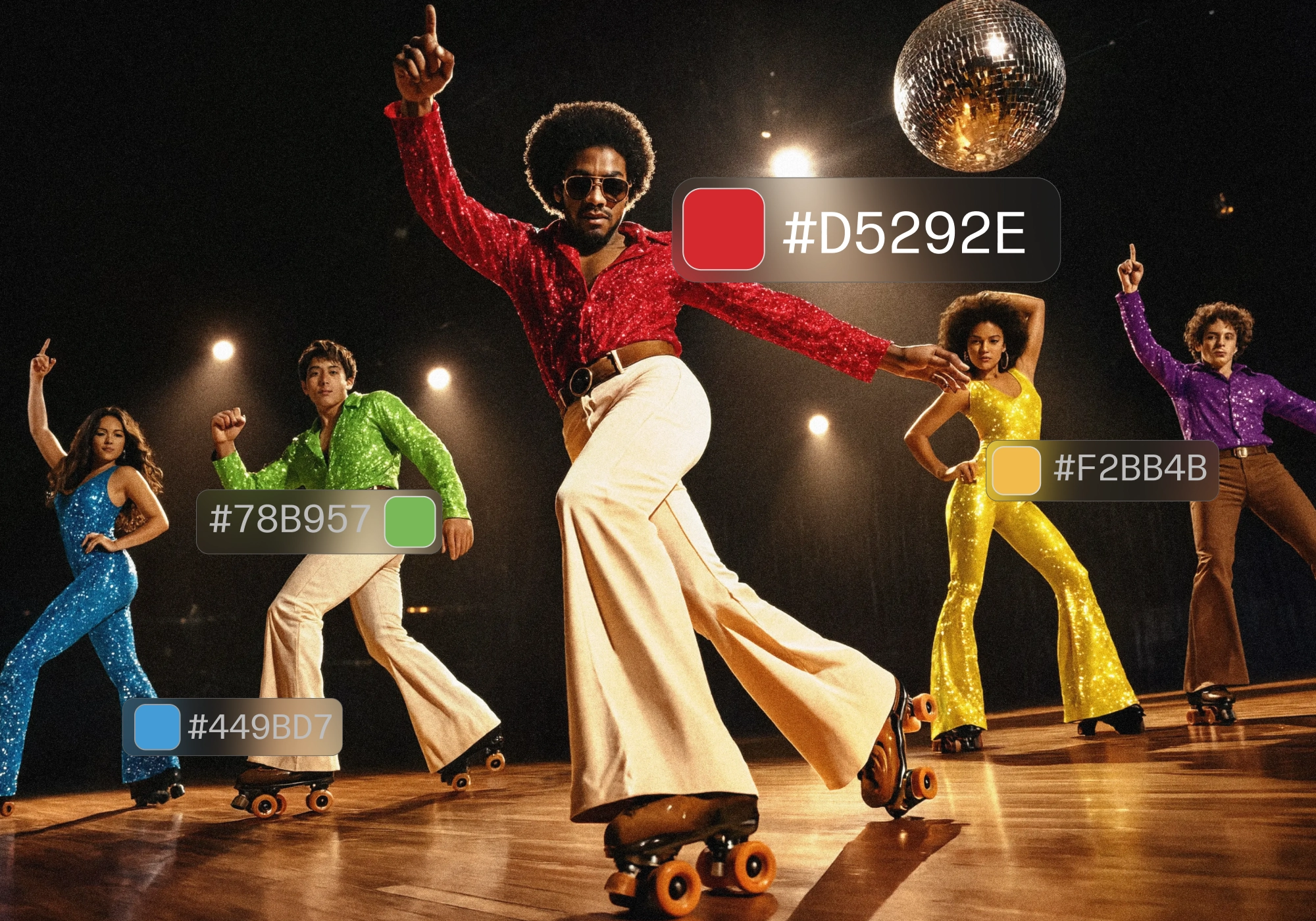
Introducing another first in image generation and editing: precise regional color reference. You can now set color per region, right on your image. Pick a region, choose a color, and the result matches on your pixels.
Use the eyedropper to select an existing hue within an image and get an exact match, input exact hex codes from product SKUs or a client spec sheet, or pick your own from the precise color slider.
Get your palette right
Control exactly how color shows up in your image, region by region. Vary through a specific palette. Select any region and set the color you want.
- Exact brand color. Pull a hex from a spec sheet and hold it across every asset.
- Product colorways. Show one product in each of its colors without a reshoot.
- Interiors and materials. Set a wall, a fabric, a finish to a precise shade.
- Art and illustration. Work from a fixed palette across a series.
- One region at a time. Recolor a single region while the rest stays put.
Color is available now. Open any image to get started at reve.com.
How we built color
We bet on layouts two years ago: an interpretable, controllable, codeable interface for images.
Until today, a layout operated on the axes of structure and semantics: hierarchical regions carrying spatial information and a corresponding description in text. Color introduces a dimension off that plane, attaching a precise appearance value per region. Thus, the layout gains a new type of attribute: one it can pinpoint as a value, rather than simply describe.
We build color control in two stages:
-
The first stage extracts color. We develop a color-extraction mechanism that turns any image into a structured, per-region description of its colors. We operate in a perceptual color space, so that "close in the space" means "close to the eye," and cluster the pixels of every region in our layout into a small palette of representative color swatches. We attach this palette as an additional conditioning signal to each region, complementing the region's text description.
-
The second stage inverts the flow. With the palette extractor built, we train in the reverse direction: seeing the color-enhanced layouts as conditioning, the model learns to synthesize an image whose colors match.
The color signal is self-supervised. The extractor labels every training image on its own, so we get a large supervised signal with no need for human annotation. The model simply learns color by inverting the extraction process.
Color is another lever for precision within layout. Try it now with image to get started at reve.com.