Introducing Templates
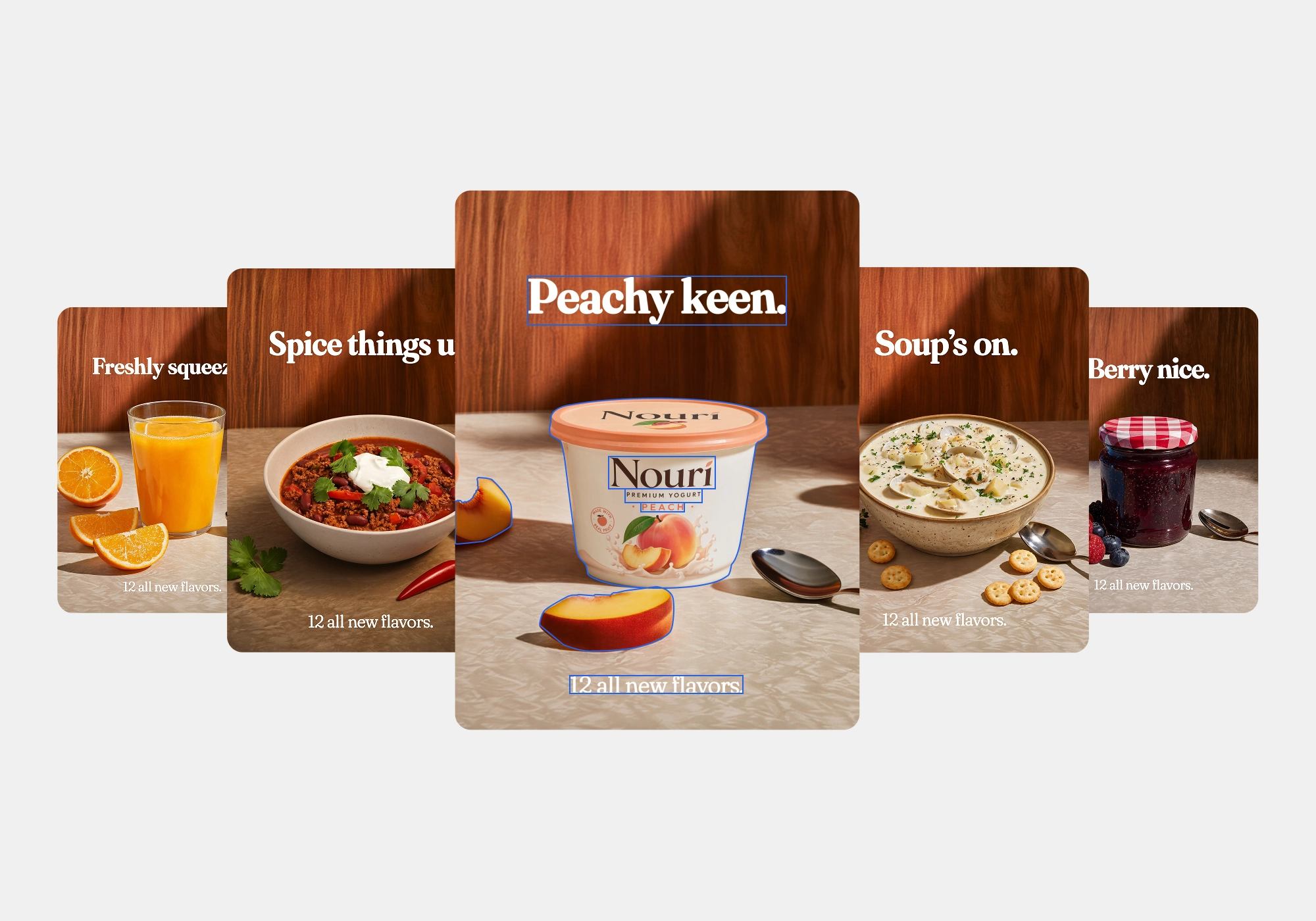
Make any image your own — start with an idea, edit and refine it, explore new directions, and shape it your way.
Swap in your product, your text, or even your occasion, and watch the rest of the template update dynamically.
What you can do with Templates
Templates give you a starting point that adapts as you go. Choose the template you want to use, then make it yours in one edit. Select your aspect ratio and update the core elements of your template.
Swap in objects, images, or logos, and see your design harmonize. Replace the core elements of a template — the product, the text, the images — with your own. Trade a soda can for a bottle of perfume, or turn a birthday template into an anniversary one, and the rest of the template updates around your change automatically. It's perfect for when you have a template you like and just need to make it yours.
Refine the details once your elements are in place — layout, color, type, and composition — so the final image feels intentional. Use it when the framework of the template is right but the finish needs to match your brand or vision.
Templates to refine your design
- Start from a template built for your category — fashion, beauty, jewelry, food and drink, homeware, automotive, and more
- Create your template in the right aspect ratio
- Swap in your own product shot and watch the template update
- Change the purpose, message, or text and keep the design cohesive
- Refine layout, color, and style once your elements are in place
- Explore new directions from the same template without starting from scratch
Just start with a template, and shape it your way.
Templates are available now — get started at reve.com.